Get an IP address from cook island
Learn how to obtain an IP address from the Cook Islands, why it matters, and practical steps to use it for connectivity, privacy, or geo-targeting.
The Cook Islands is a small, self-governing territory in the South Pacific with a distinct digital and telecom presence. If you need an IP address that appears to originate from the Cook Islands, there are practical paths you can take. This guide walks you through why you might want a Cook Islands IP, the legitimate methods to get one, what to watch out for, and how to use it responsibly.

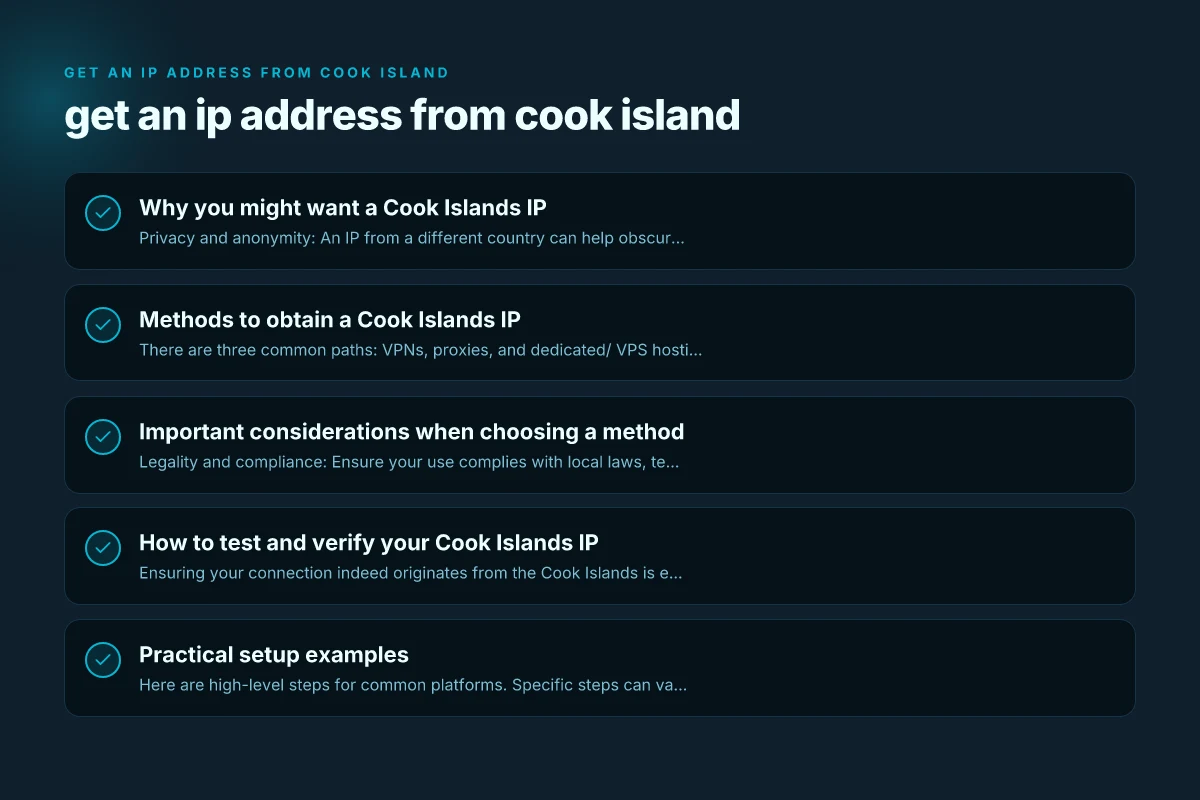
Why you might want a Cook Islands IP
- Privacy and anonymity: An IP from a different country can help obscure your true location when browsing.
- Geo-targeted testing: Businesses building regional content or apps can test how their services behave from the Cook Islands.
- Market access and localization: Some services or ads may respond differently based on location. A Cook Islands IP can simulate local access.
- Research and journalism: Researchers sometimes use foreign IPs to study regional internet behavior or censorship.
Keep in mind that an IP address is just one piece of the privacy puzzle. Other data points, such as DNS leaks, browser fingerprinting, and account login patterns, can reveal more than you expect. Use multiple privacy tools if your goal is robust anonymity.
Methods to obtain a Cook Islands IP
There are three common paths: VPNs, proxies, and dedicated/ VPS hosting. Each has its own trade-offs in terms of speed, price, and control.
VPN services with Cook Islands exit nodes
- Pros:
- Easy to set up. Often includes apps for desktop and mobile.
- Good for casual use, streaming, or quick tests.
- Cons:
- Not all VPNs offer Cook Islands nodes. Available options may be limited.
- Some VPNs log activity, depending on policy.
- How to choose:
- Look for explicit Cook Islands server locations or exit nodes.
- Review the provider’s privacy policy and logging details.
- Check kill switch and DNS leak protection, plus performance reviews.
Proxies that appear from Cook Islands
- Pros:
- Simple for quick, targeted tasks like web scraping or simple tests.
- Often cheaper than full VPNs. Can be used in browser or app configs.
- Cons:
- Proxies may be less secure, and many are not reliable for long sessions.
- An HTTP proxy differs from a SOCKS proxy in capabilities and security.
- How to choose:
- Prefer SOCKS5 proxies for greater compatibility with apps and better security than basic HTTP proxies.
- Verify that the proxy actually routes traffic through a Cook Islands IP (test the IP).
Dedicated servers or VPS with Cook Islands IP
- Pros:
- Full control over the environment. Suitable for testing, automation, or hosting.
- Can ensure consistent IPs for longer-term use.
- Cons:
- Typically more expensive. Requires technical know-how to configure.
- How to choose:
- Look for hosting providers with data centers or regional IP allocations covering the Cook Islands or allow IP allocation from the Cook Islands range.
- Confirm bandwidth, uptime guarantees, and management options.
- Ensure you understand the provider’s acceptable use policy and privacy stance.
Important considerations when choosing a method
- Legality and compliance: Ensure your use complies with local laws, terms of service of websites, and the provider's policies.
- IP persistence: If you need a static Cook Islands IP, prefer dedicated servers or long-term VPN plans that offer fixed IPs.
- Performance: VPNs and proxies add latency. A local VPN exit might be slower than a direct connection depending on routing.
- Privacy and logging: Some services log user data. Read the privacy policy and look for a no-logs commitment if that matters to you.
- IP reputation: Repeated use of a known proxy or VPN IP can trigger blocks. Rotation policies and reputable providers help mitigate this.
How to test and verify your Cook Islands IP
Ensuring your connection indeed originates from the Cook Islands is essential. Use a mix of online checks and internal testing.
- IP check: Visit a trusted IP-lookup site (e.g., ipinfo.io, whatismyipaddress.com) to confirm the country, city, and ASN.
- DNS leaks: Run a DNS leak test to ensure DNS requests aren’t leaking your real location.
- WebRTC leak: Use a WebRTC test to ensure your real IP isn’t exposed through browser features.
- Speed testing: Run speed tests to gauge the impact of the routing method on latency and throughput.
Table: Quick comparison of the three methods Get an IP address from colombia
| Method | Pros | Cons | Best For |
|---|---|---|---|
| VPN with Cook Islands exit | Easy setup, apps available | Limited availability, potential logs | Casual browsing, testing apps, streaming |
| Cook Islands proxy | Low cost, quick setup | Potential security risks, reliability varies | Lightweight tasks, quick checks |
| Dedicated VPS with Cook Islands IP | Full control, stable IP, scalable | Higher cost, requires setup skills | Automated testing, hosting, long-term tasks |
Practical setup examples
Here are high-level steps for common platforms. Specific steps can vary by provider.
VPN setup (example horizon):
Sign up with a VPN provider that offers a Cook Islands server.
Install the VPN app on your device. Get an IP address from christmas island
Connect to the Cook Islands server.
Verify your IP and enable features like DNS leak protection and a kill switch.
Proxy setup (browser example):
Obtain a Cook Islands SOCKS5 proxy address, port, username, and password if required. Get an IP address from China
In your browser, go to network or proxy settings and enter the proxy details.
Enable proxy authentication if prompted.
Test via a site that shows your IP and location.
VPS/Dedicated server setup (Linux example): Get an IP address from cape verde
Choose a provider with Cook Islands IP options or allow IP reassignment.
Spin up a Linux instance and update security (firewall, SSH keys).
Install a VPN or proxy service on the VPS, or configure it as a remote workstation.
Test publicly to ensure traffic exits through the Cook Islands IP. Get an IP address from brunei darussalam
Monitoring, security, and best practices
- Regularly audit your privacy posture: re-check IP, DNS, and WebRTC exposures after updates.
- Use strong authentication: if you manage your own server, implement SSH keys and disable password logins where possible.
- Separate use cases: avoid mixing personal and testing traffic on the same IP to keep a clean IP reputation.
- Respect rate limits and terms of service: some sites may block or throttle IPs that appear to be automated or abusive.
Troubleshooting common issues
- IP not from Cook Islands: double-check the chosen method and test the IP again. Some services route traffic through intermediate locations.
- DNS leaks: enable DNS leak protection on VPNs or configure DNS settings to use trusted resolvers.
- Slow performance: try a different Cook Islands server or switch to a dedicated VPS for more consistent routing.
- Blocked IP by service: rotate IP if allowed by your plan, or contact the provider for a fresh IP allocation.
Final recommendation
If your goal is straightforward: test regional behavior or browse with a Cook Islands-aligned IP, a reputable VPN with a Cook Islands exit node is usually the simplest and fastest option. If you need long-term reliability, a dedicated VPS in or routed to the Cook Islands IP range offers stability and control. For lightweight tasks or quick checks, a trusted proxy can be sufficient, but be mindful of security and reliability.
Before you proceed, define your primary objective (privacy, testing, or hosting), compare providers based on location accuracy, privacy policy, speed, and cost, and run a few initial tests to confirm you’re seeing the Cook Islands IP consistently.