Get an IP address from uzbekistan
A practical guide to obtaining an Uzbek IP address for streaming, browsing, or access that appears to come from Uzbekistan.
Introduction Getting an Uzbek IP address can be useful for accessing region-locked content, complying with local regulations, or simply exploring the web as if you were in Uzbekistan. There are several paths to achieve this, each with its own trade-offs in terms of legality, speed, and reliability. Below is a practical guide to methods you can use, what to watch out for, and how to choose the best option for your needs.

How IP geolocation works and why you might want Uzbekistan as the location
- Your device communicates with the internet through an IP address assigned by your ISP or VPN/proxy.
- Websites use the IP to infer your approximate location.
- Having an Uzbek IP can help with:
- Accessing Uzbek-only content or services.
- Testing how sites behave for Uzbek users.
- Debugging localization features for Uzbekistan.
- Keep in mind that geolocation is not foolproof: some services use additional data or sophisticated checks to determine true location.
Methods to obtain an Uzbek IP address
There are several practical approaches. They vary in cost, legality, and performance.
VPN (Virtual Private Network)
- How it works: Encrypts your traffic and routes it through a server in Uzbekistan, giving you an Uzbek IP.
- Pros:
- Easy to use.
- Generally fast enough for web browsing, streaming, and common tasks.
- Good privacy protection due to encryption.
- Cons:
- Some services block VPNs. Reliability varies.
- Free VPNs often have slower speeds and data limits.
- How to choose:
- Look for providers with dedicated Uzbek servers or nearby Uzbekistan-based nodes.
- Check privacy policy, DNS leak protection, kill switch, and logging practices.
- Test with a trial period or refund window.
Proxy services
- How it works: Routes browser or application traffic through a proxy server in Uzbekistan.
- Pros:
- Often cheaper or free options.
- Simple to configure for specific apps or browsers.
- Cons:
- Usually less secure than VPNs. Traffic may be unencrypted.
- Higher risk of leakage and IP blocks.
- Best use: non-sensitive browsing or lightweight tasks where privacy is less critical.
VPS or dedicated server in Uzbekistan
- How it works: Rent a Virtual Private Server or a dedicated server physically located in Uzbekistan, then configure it as a tunnel or use it as a SOCKS/HTTP proxy.
- Pros:
- Full control over the environment.
- Can achieve high performance if you pick a fast VPS.
- Cons:
- Requires technical setup (SSH, proxy/Nginx, or OpenVPN).
- More expensive and maintenance-heavy.
- Best use: developers or teams needing custom setups, testing, or automation.
Smart DNS or geolocation services
- How it works: Alters the geolocation information for streaming services without routing all your traffic through another country.
- Pros:
- No noticeable speed drop for many services.
- Cons:
- Not a full VPN. Some services detect and block these methods.
- Best use: streaming where encryption is not a priority, and you only need access to geo-locked content.
Mobile carrier options
- How it works: Some mobile carriers offer eSIMs or SIM cards with localized services or trials in certain regions.
- Pros:
- Legitimate Uzbek IP per your device’s mobile carrier routing.
- Cons:
- Availability can be limited. Higher costs. Roaming charges.
- Best use: short-term needs for testing or travel.
Practical considerations: legality, terms, and compliance
- Legality: Ensure that your use complies with local laws and the terms of service of the apps or sites you access. In some cases, using VPNs or proxies to circumvent geo-restrictions violates terms and can lead to account restrictions.
- Service terms: Some streaming platforms prohibit VPN/proxy use. If you rely on such access, be prepared for possible interruptions or account actions.
- Data privacy: A VPN or proxy provider can see your traffic. Read the privacy policy and choose providers with strong practices, no-logs commitments, and transparent security measures.
- Data localization and jurisdiction: If you process sensitive data, consider where the service stores and processes data and the applicable laws.
Performance considerations and tips
- Proximity matters: Uzbek servers (or nearby Central Asian nodes) offer better latency than distant locations. If Uzbekistan-based servers are scarce, look for servers in neighboring regions with good pings.
- Streaming vs. browsing: For simple browsing, most VPNs work well. For high-bitrate streaming, test speeds and choose a service that guarantees bandwidth.
- DNS leaks: Enable DNS leak protection to ensure your DNS requests aren’t exposed to your local ISP.
- Kill switch: Use a VPN with a kill switch to prevent accidental exposure if the VPN drops.
- Browser vs. system-wide: For flexibility, you can configure a proxy only for a browser or a few apps. For broader coverage, route all traffic through a VPN.
A quick comparison table: VPN, Proxy, and VPS approaches
| Method | Ease of use | Security & privacy | Speed for web and streaming | Control & customization | Cost (typical) |
|---|---|---|---|---|---|
| VPN | High | High to Very High | Good to Excellent | Moderate | Low to Medium |
| Proxy | Moderate | Moderate to Low | Variable; often good | High for setup-specific tasks | Low to Medium |
| VPS | Low to Moderate | High (if configured properly) | Can be Excellent with good host | High | Medium to High |
- Notes:
- VPNs usually offer the best balance of security, ease, and reliability for Uzbek IP needs.
- Proxies are best for light tasks or one-off access with less concern about privacy.
- A VPS provides maximum control but requires technical setup and ongoing maintenance.
How to implement a get an Uzbek IP in practical steps
- If you choose a VPN:
- Select a reputable VPN provider with Uzbek or nearby servers.
- Sign up, install the app on your device, and log in.
- Connect to a server located in Uzbekistan or the closest available region.
- Verify your new IP by visiting an IP lookup site and confirming the country shows Uzbekistan.
- Test streaming, browsing, or apps to confirm performance meets your needs.
- If you choose a proxy:
- Obtain a trustworthy Uzbek proxy server address and port.
- Configure your browser (or the specific app) to use the proxy.
- Check for IP location and test access to Uzbek content.
- Monitor for DNS leaks and privacy exposure.
- If you choose a VPS-based solution:
- Rent a VPS with a data center in Uzbekistan if available. Otherwise choose a nearby server with good latency.
- Install a SOCKS5 or HTTP proxy (or full VPN) on the VPS.
- Create a tunnel from your device to the VPS and route traffic through it.
- Verify IP location and performance with targeted tests.
- Tips:
- Always test for IP location changes using reputable sites.
- Keep your software updated to benefit from security patches.
- Be mindful of data limits and terms of service with your chosen method.
Common pitfalls and how to avoid them
- Hidden IP leaks: Use a kill switch and DNS leak protection.
- Free services: These can expose you to data theft, malware, or IP blocks. Prefer reputable paid options with transparent policies.
- Inconsistent location reporting: Some services rotate IPs or use geolocation tricks. Reverify periodically.
- Overreliance on one method: If your use-case changes (e.g., you start streaming), consider a solution with better performance guarantees and support.
Final recommendation
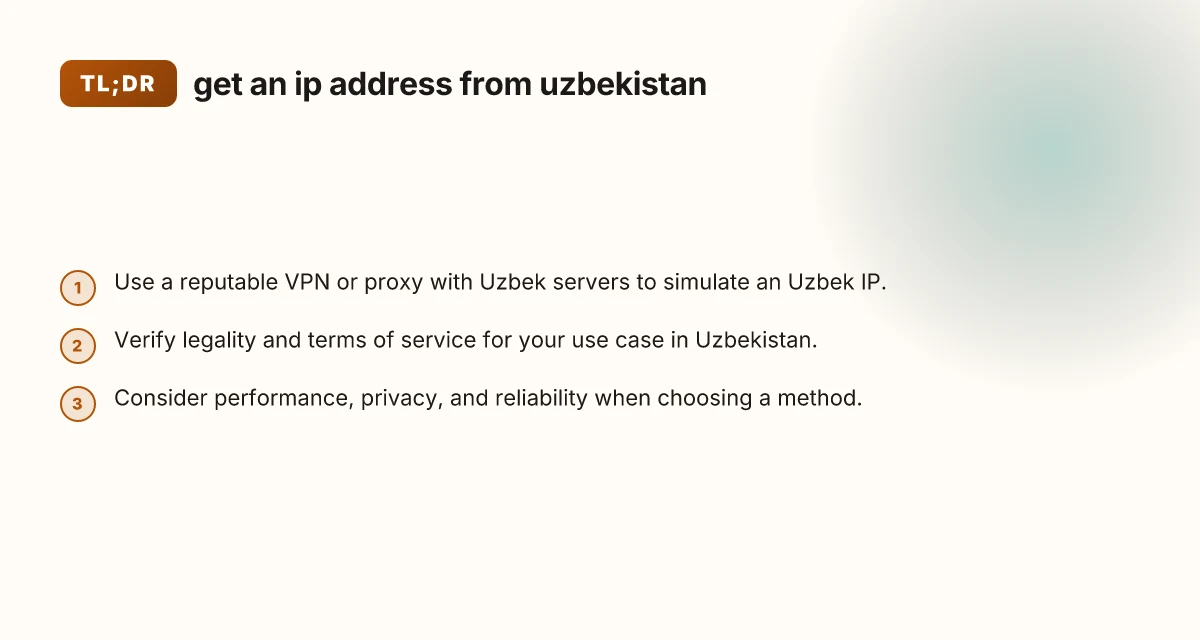
- For most users who simply want a reliable Uzbek IP for everyday browsing, streaming, and regional testing, a reputable paid VPN with Uzbek or regional servers is the best balance of speed, privacy, and ease of use. It provides strong encryption, straightforward setup, and broad compatibility across devices. If you have highly customized needs or want to explicitly control the traffic path, a VPS-based proxy can be the right fit, provided you’re comfortable with the technical setup and ongoing maintenance. Avoid free or dubious proxies and VPNs. They often compromise privacy, security, and performance.
If you’d like, tell me your primary use case (streaming, browsing, testing, automation), your devices, and any constraints (budget, speed needs, privacy concerns), and I can suggest a tailored, step-by-step setup plan to get an Uzbek IP quickly and safely.