Get a turkish IP address

Learn practical, legal ways to get a Turkish IP address for browsing, streaming, and privacy.
Getting a Turkish IP address can unlock local content, improve privacy, and help with regional testing of services. In this guide, you’ll learn practical options to obtain a Turkish IP, how they work, and what to watch out for.

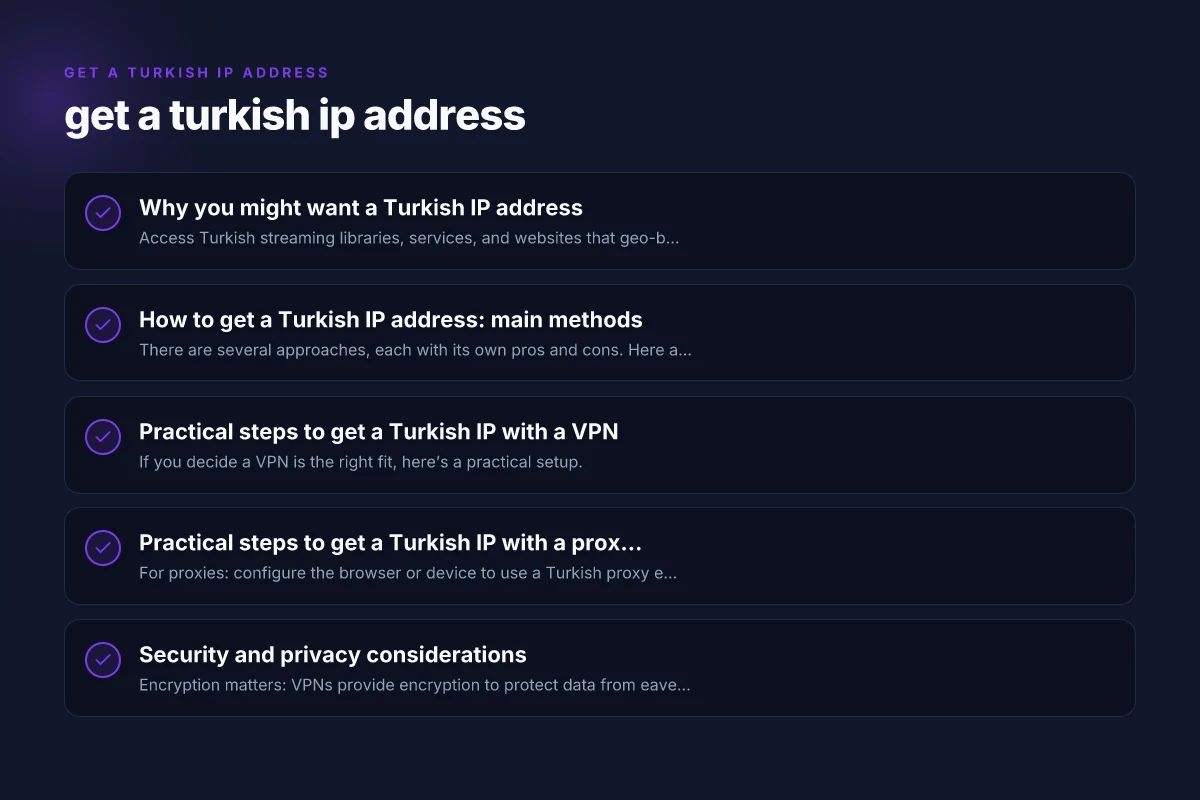
Why you might want a Turkish IP address
- Access Turkish streaming libraries, services, and websites that geo-block foreign IPs.
- Test websites or apps from Turkish networks to ensure regional performance.
- Improve privacy by routing traffic through a Turkish exit point.
- Conduct market research with a locally appearing IP.
How to get a Turkish IP address: main methods
There are several approaches, each with its own pros and cons. Here are the most common methods.
Virtual private networks (VPNs)
- Encrypt your traffic and route it through a Turkish server.
- Benefits: easy to use, reputable providers offer strong security and kill switches.
- Potential drawbacks: some services only offer a Turkish IP on certain plans. Streaming can be throttled or blocked by some services.
Proxy services
- Proxies route your browser or device traffic via a Turkish server.
- Benefits: often cheaper than VPNs, simple to configure for specific apps.
- Potential drawbacks: lower security and privacy. No encryption by default. Can be unreliable.
Smart DNS services
- Redirect DNS requests to appear as if you’re in Turkey, without full traffic rerouting.
- Benefits: fast speeds, supports streaming with fewer slowdowns.
- Drawbacks: does not encrypt traffic. Less privacy protection. Some services detect and block smart DNS.
Mobile SIM and data roaming
- Use a Turkish SIM card or Turkish mobile data plan to get a Turkish IP on your devices.
- Benefits: straightforward for smartphones and devices with SIM slots.
- Potential drawbacks: data costs, coverage depending on location, regulatory considerations.
Remote servers or VPS in Turkey
- Rent a virtual private server physically located in Turkey and tunnel traffic through it.
- Benefits: full control and reliable IP for testing and development.
- Drawbacks: higher technical overhead. Must manage server security.
Practical steps to get a Turkish IP with a VPN
If you decide a VPN is the right fit, here’s a practical setup.
- Choose a reputable VPN provider with Turkish servers.
- Install the VPN app on your device or configure it on your router for network-wide coverage.
- Connect to a Turkish server. If you’re testing streaming, check for smart streaming features or “optimized streaming” modes.
- Verify your IP. Use a site like whatismyip.com to confirm you appear as Turkish.
- Test speeds and stability. Some VPNs slow connections. Pick a server with good performance and minimal ping.
- Be mindful of service terms. Some streaming platforms aggressively block VPNs. You may need to switch servers or use dedicated streaming-optimized routes.
Practical steps to get a Turkish IP with a proxy or Smart DNS
- For proxies: configure the browser or device to use a Turkish proxy endpoint. Ensure you choose a trusted provider.
- For Smart DNS: subscribe to a Turkish-enabled service, set DNS on your router or device according to the provider’s instructions.
- Test access to Turkish sites or streaming libraries to confirm the IP appears Turkish.
- Note privacy: proxies don’t encrypt traffic. Avoid transmitting sensitive information unless you’re using an encrypted tunnel alongside the proxy.
Security and privacy considerations
- Encryption matters: VPNs provide encryption to protect data from eavesdroppers. Proxies and Smart DNS often don’t.
- Logging policies: review the provider’s data retention and logging policies. Some services log IPs or traffic metadata.
- Jurisdiction and data requests: Turkish data laws and the provider’s operating country can influence privacy.
- Malware and phishing risk: use reputable providers, avoid free or dubious services that might inject ads or malware.
A simple comparison: VPNs vs Proxies vs Smart DNS for Turkish IPs
| Method | Encryption | Privacy focus | Speed (typical) | Best for | Common drawbacks |
|---|---|---|---|---|---|
| VPN | Yes | High | Moderate to slow | Streaming, secure browsing, full-device protection | Can be blocked by services; plan varies in price |
| Proxy | No (unless layered) | Moderate | Fast | Per-app Turkish IP, light use | No encryption; lower privacy |
| Smart DNS | No | Low to moderate | Fast | Streaming with minimal buffering; regional testing | No encryption; some sites detect it |
Legal and policy considerations in Turkey
- Turkish law includes data retention and surveillance provisions for telecom providers. Your use of IP-mitigation tools should respect local laws.
- Some content platforms have anti-VPN or anti-proxy policies and may block access when detected.
- Always use reputable, licensed services. Avoid tools that promise “free Turkish IP” with dubious privacy promises.
- If you’re using business or academic resources, ensure your use complies with terms of service and local regulations.
How to choose the right method for you
- For secure browsing and broad protection: a reputable VPN with Turkish servers.
- For light multi-service use and cost pressure: a Smart DNS if you mainly want access to Turkish streaming with minimal latency.
- For targeted app testing or development: a Turkish VPS/remote server gives you more control and reliability.
- For quick, one-off checks: a Turkish proxy can be a fast, inexpensive option, but only for non-sensitive tasks.
Common mistakes to avoid
- Skipping verification: always verify your IP after setup to confirm it’s Turkish.
- Ignoring device compatibility: some providers support fewer platforms. Confirm your devices (Windows, macOS, iOS, Android, routers) are supported.
- Underestimating terms: using a VPN to bypass geo-restrictions can violate terms of service. Proceed with caution.
- Choosing the cheapest option without reviews: reliability matters. A cheap service may be slow or insecure.
Quick setup checklist
- Define your objective: streaming access, privacy, testing, or development.
- Pick a method: VPN, Proxy, Smart DNS, or VPS in Turkey.
- Choose a reputable provider and plan.
- Install and configure on your devices.
- Verify Turkish IP and test performance.
- Review privacy terms and legal considerations.
Final recommendation
If your primary goal is secure, reliable access to Turkish content and general privacy, start with a reputable VPN that offers Turkish servers and clear privacy policies. It covers most use cases: streaming, browsing, and multi-device protection. If speed and streaming are your only concerns and you don’t need encryption, consider a Smart DNS or a Turkish VPS for development tasks. For simple per-app tasks with minimal cost, a Turkish proxy can suffice, but be mindful of privacy trade-offs. Always verify your IP, understand the provider’s terms, and stay compliant with local regulations.
If you’d like, tell me your primary use case (streaming, privacy, web testing, or development) and your budget. I can recommend specific providers, a setup plan, and a step-by-step configuration guide tailored to your devices. Get a tunisian IP address